
Behind the Scenes View of the Patient Portal
News

Sierra View Medical Center recently updated its Patient Portal, offering a more user-friendly experience and new features. The refreshed portal launched in February and makes it easier for patients to access their health information, schedule appointments, and communicate with care teams.
The Patient Portal connects directly to a patient’s electronic health record at Sierra View, ensuring that information such as lab results, imaging reports, visit history, and health summaries are accurate and up to date. Today, more than X patients use the portal to stay informed and connected to their care.
A More User-Friendly Experience
The updated Patient Portal features a modern layout designed to help patients quickly find the information they need.
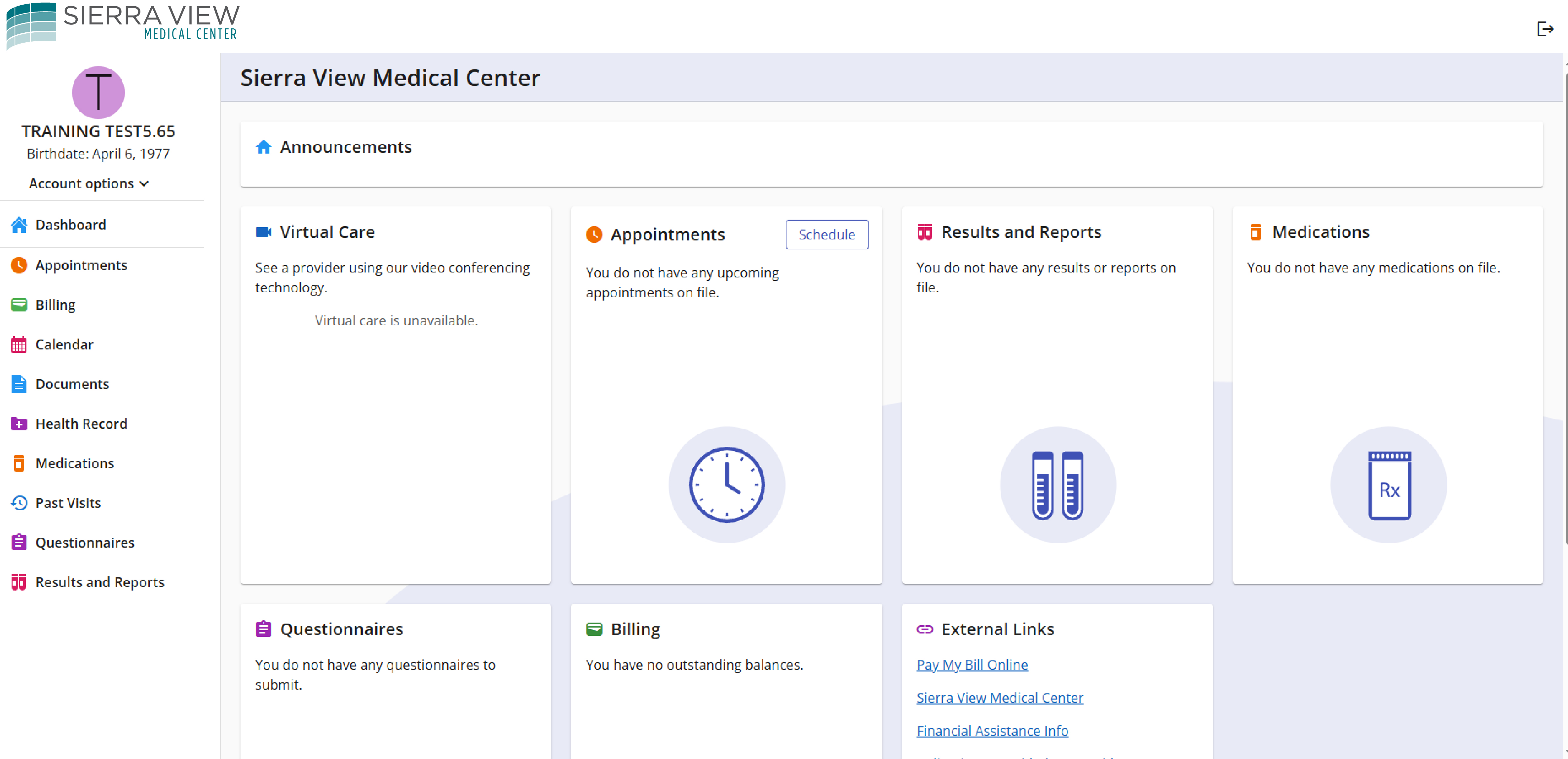
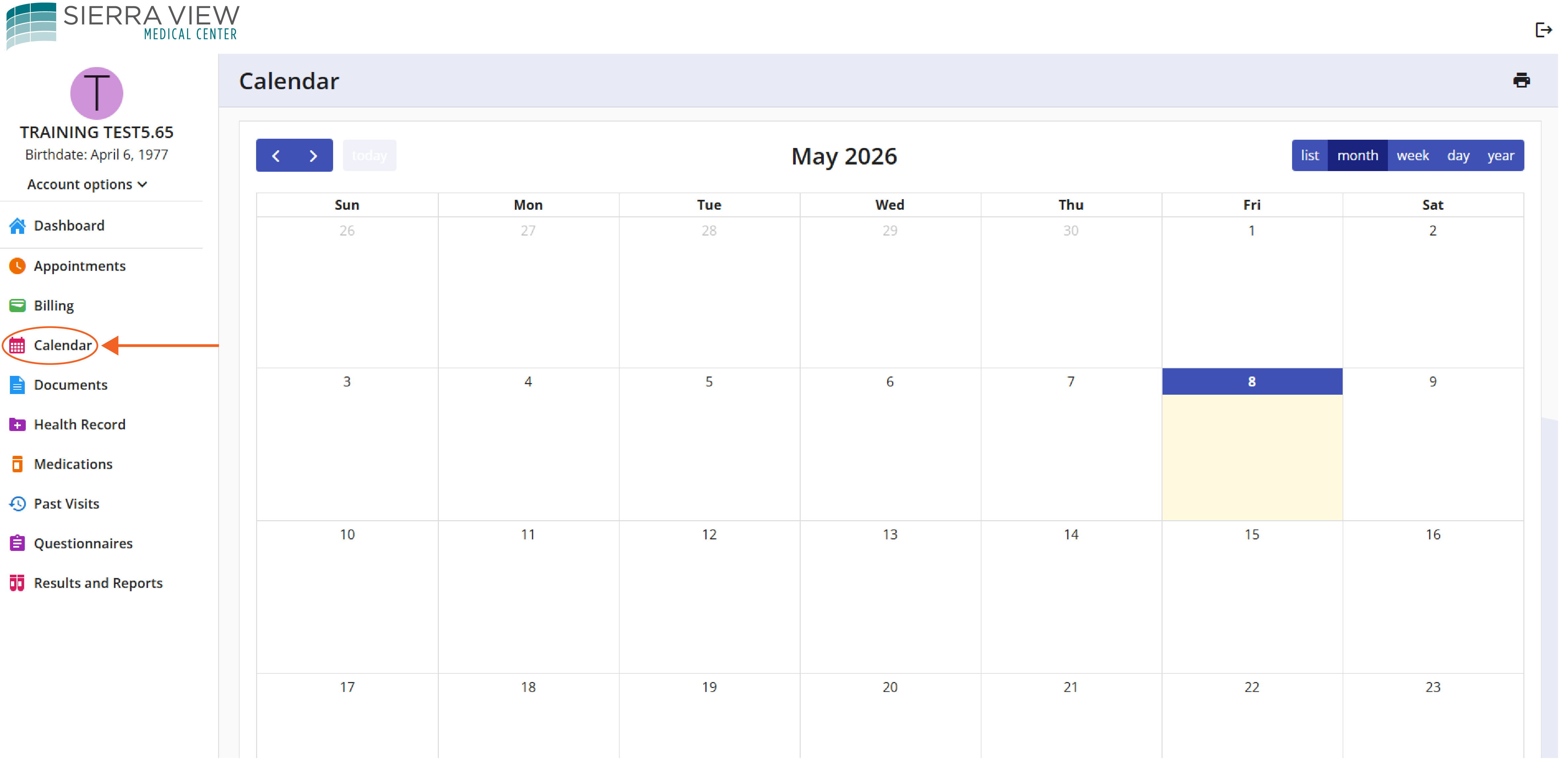
An improved dashboard brings key information together in one place, including upcoming appointments and recent health updates. A new calendar view makes it easier to see upcoming appointments and stay organized.
Patients can also send secure messages to their care teams and take advantage of convenient online billing options, including text-to-pay.
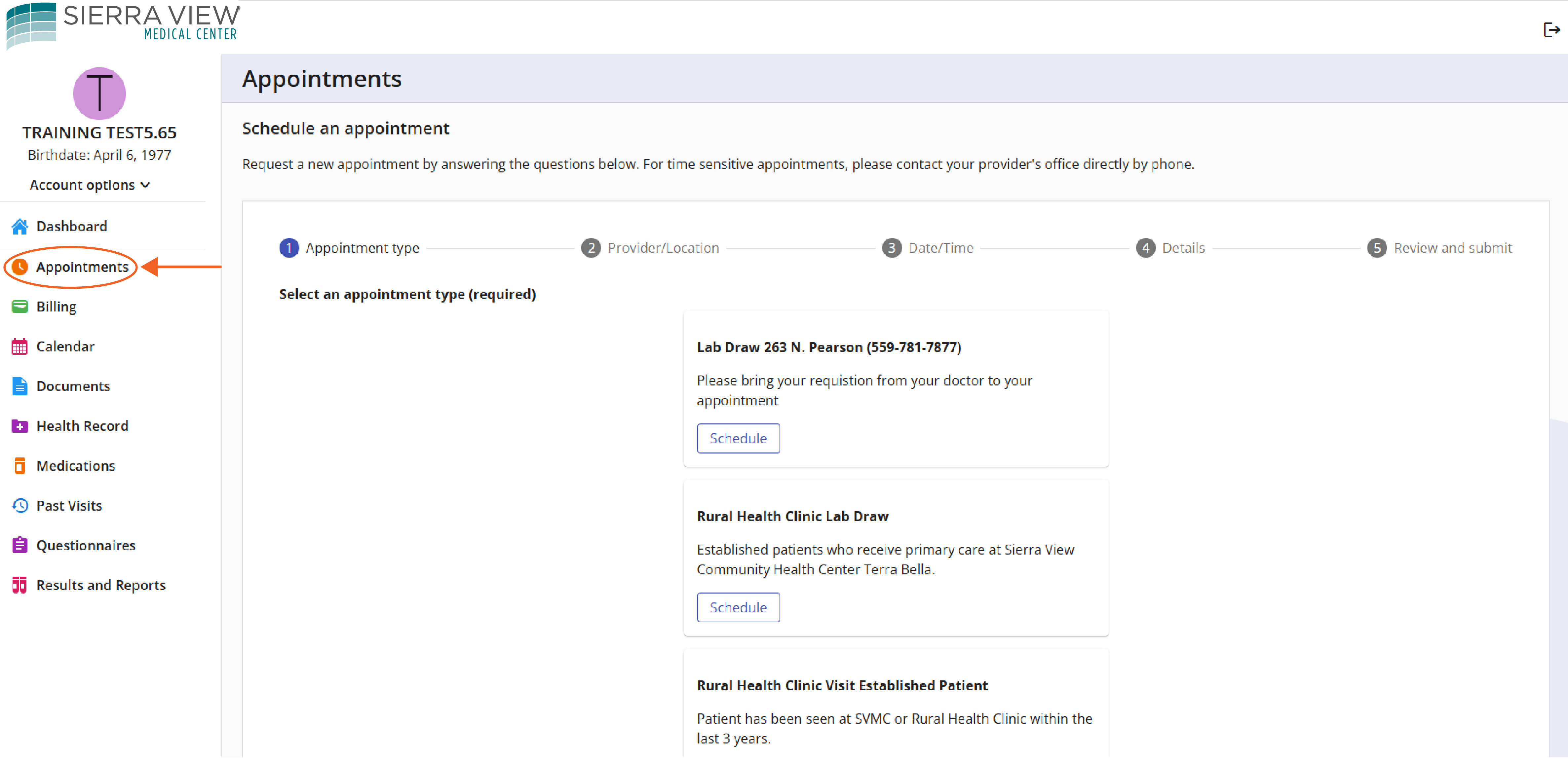
The portal also allows patients to schedule select services directly online, helping save time and making it easier to manage appointments. Available options include Outpatient Lab appointments at the Sierra View Medical Office Building and appointments with Sierra View Community Health Center in Terra Bella.
Additional Patient Portal Features
Through the Patient Portal, patients can:
- View lab results and imaging reports
- Access visit history and health summaries
- Update medications and allergies
- Pre-register for appointments and complete forms
- Receive appointment reminders
- Patients may also grant proxy access so a trusted family member or caregiver can help manage their healthcare.
Getting Started
Patients must first be registered at Sierra View Medical Center before signing up for the Patient Portal. During registration, patients should provide an email address to the Registration Department. When creating a portal account, patients should use the same email address that is already on file with Sierra View.
Once registered, patients can log in anytime to explore the portal and take advantage of the tools available to help manage their care.
Access the Patient Portal here
Questions, Assistance, or Proxy Access
If you need help accessing the Patient Portal, have questions about your records, billing, or proxy access, the following resources are available:
- Patient Portal Access Assistance: svmcportalhelp@sierra-view.com
- Medical Records Questions: roiinbox@sierra-view.com
- Billing Questions: sierra-view.com/contact-us
- Financial Assistance: financialcounseling@sierra-view.com
- Request Proxy Access: Patients can allow a parent, guardian, or authorized individual to access their Patient Portal account by completing the Proxy Access Request Form and emailing it to ROIinbox@sierra-view.com

